The whole app, screen by screen
These are real screenshots of a live KnockList campaign (loaded with demo data, so no resident's door is on display). What your volunteers see, then what you see as the campaign.
Watch the full demo
The whole app recorded live, narrated by the founder — 15 minutes at a walking pace, captions in the player.
In a hurry? The 2-minute version.
At the door — the volunteer's night
A volunteer opens the app on their own phone. No install, no training session, no account setup — they get a sign-in code by email and they're knocking two minutes later.
Open the app
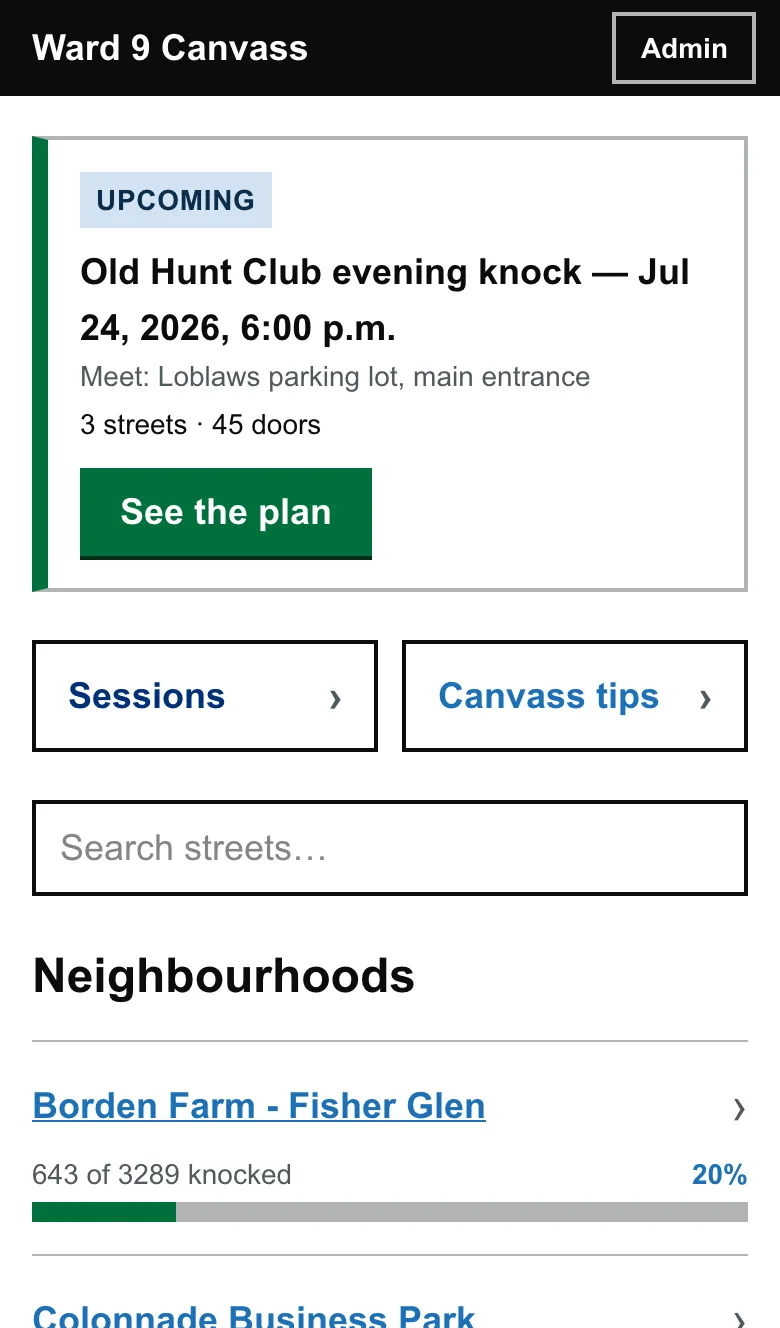
Tonight's plan is the first thing they see
The next session sits at the top: when, where to meet, how many streets and doors. One tap on “See the plan” and they know exactly what they signed up for.
Below it, the ward by neighbourhood — live progress bars of doors knocked, so everyone can see the campaign moving.
Walk the street
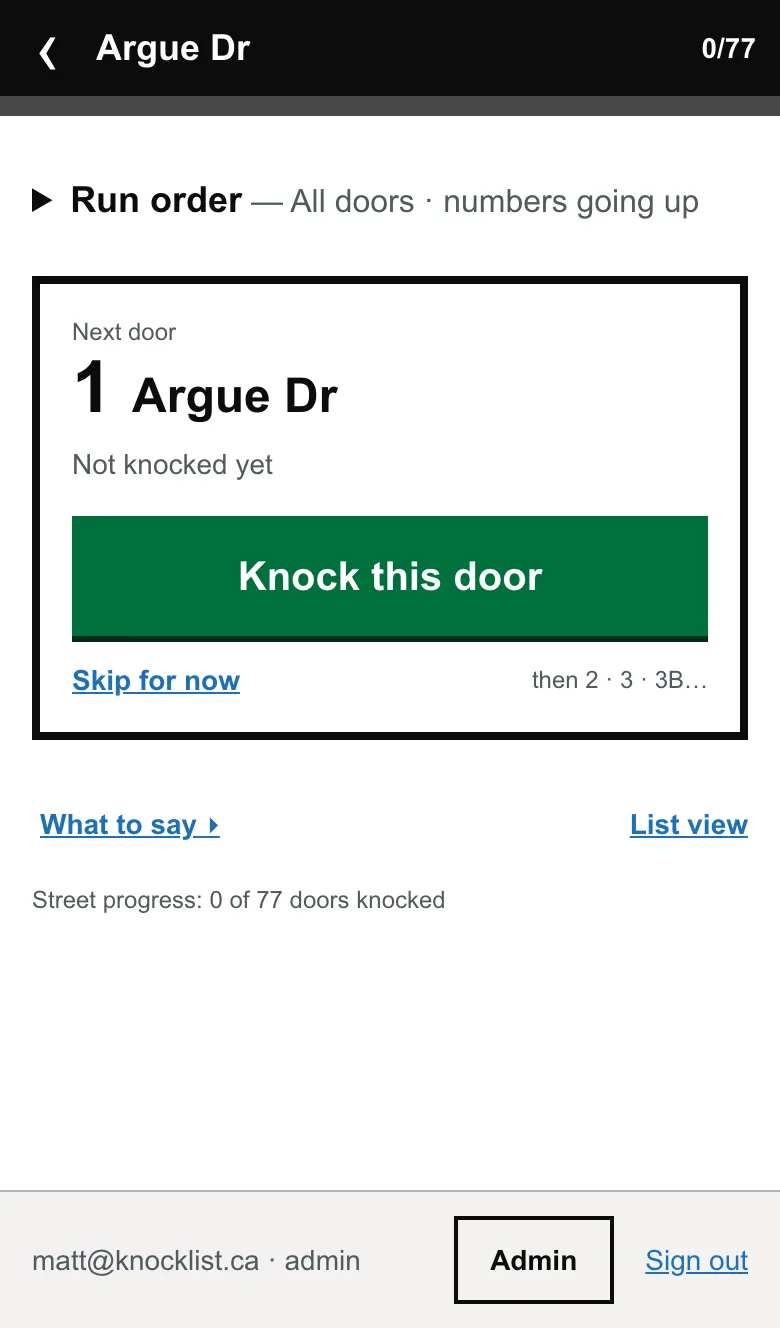
One door at a time, in walking order
The run card deals doors in walking order — numbers going up one side of the street, back down the other. No hunting through a list mid-stride: the next door is always the big green button.
“What to say” is one tap away — your door-step script, right there when nerves hit on a first shift.
Record the knock
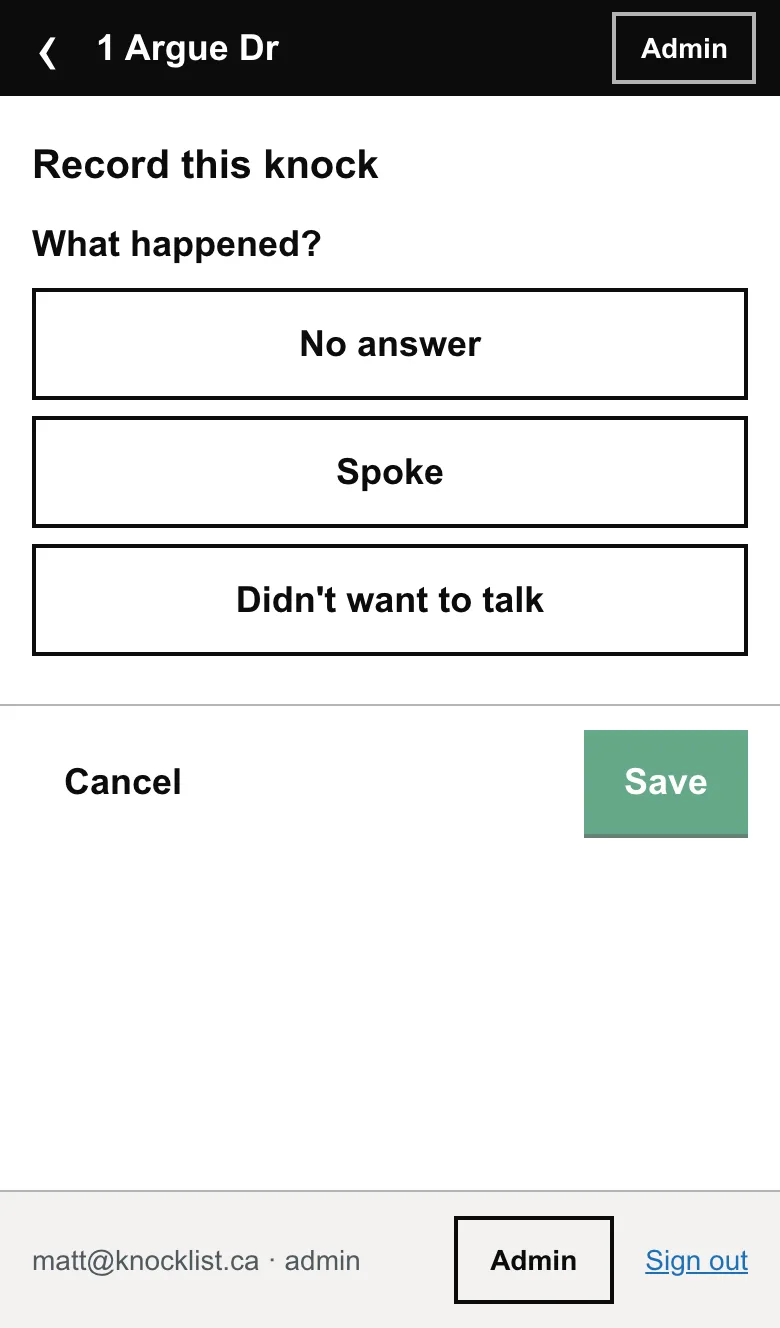
Most doors are three taps
No answer? Tap, save, next door — recorded, timestamped, attributed. The street counter ticks up and nobody ever knocks that door twice by mistake.
When there's a conversation
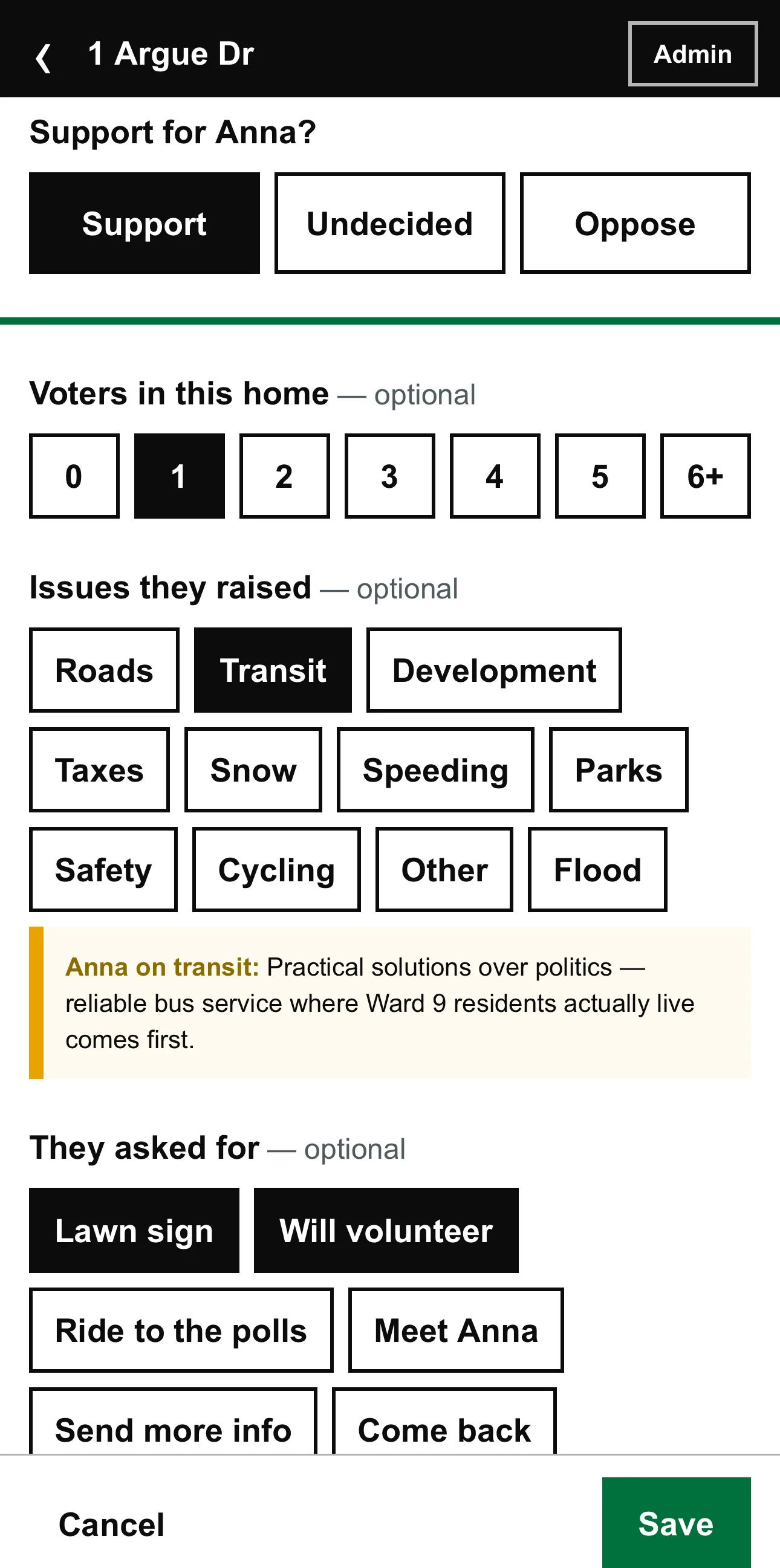
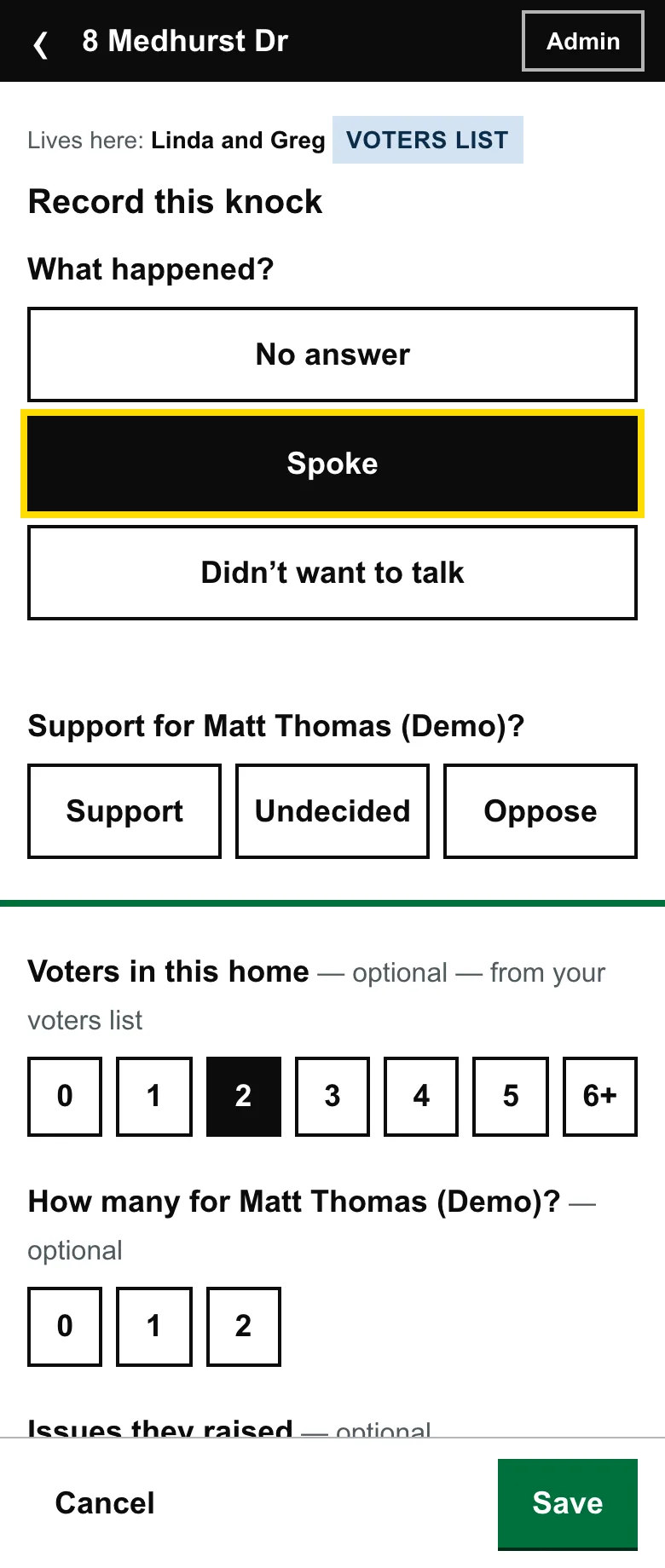
Capture what actually happened
Spoke to someone? The sheet unfolds: where they stand, how many voters at home, which issues came up — tap the chips, they're your ward's issues, not a federal template.
And the part nothing else has: what they asked for. A lawn sign, a call from the candidate, a ride to the polls. Each one becomes a tracked follow-up, not a note that dies on a clipboard.
When the signal goes
No signal? Keep knocking.
Open the app once where there’s signal, at the meeting spot or on wifi, and the whole ward saves to the phone. Basements, tower stairwells, the far end of a rural road: the door list, the knock sheet and the walking order all keep working.
Knocks recorded with no bars save to the device and upload themselves when signal comes back. Volunteers can close the app, or restart the phone, without losing one.
Once your list is in
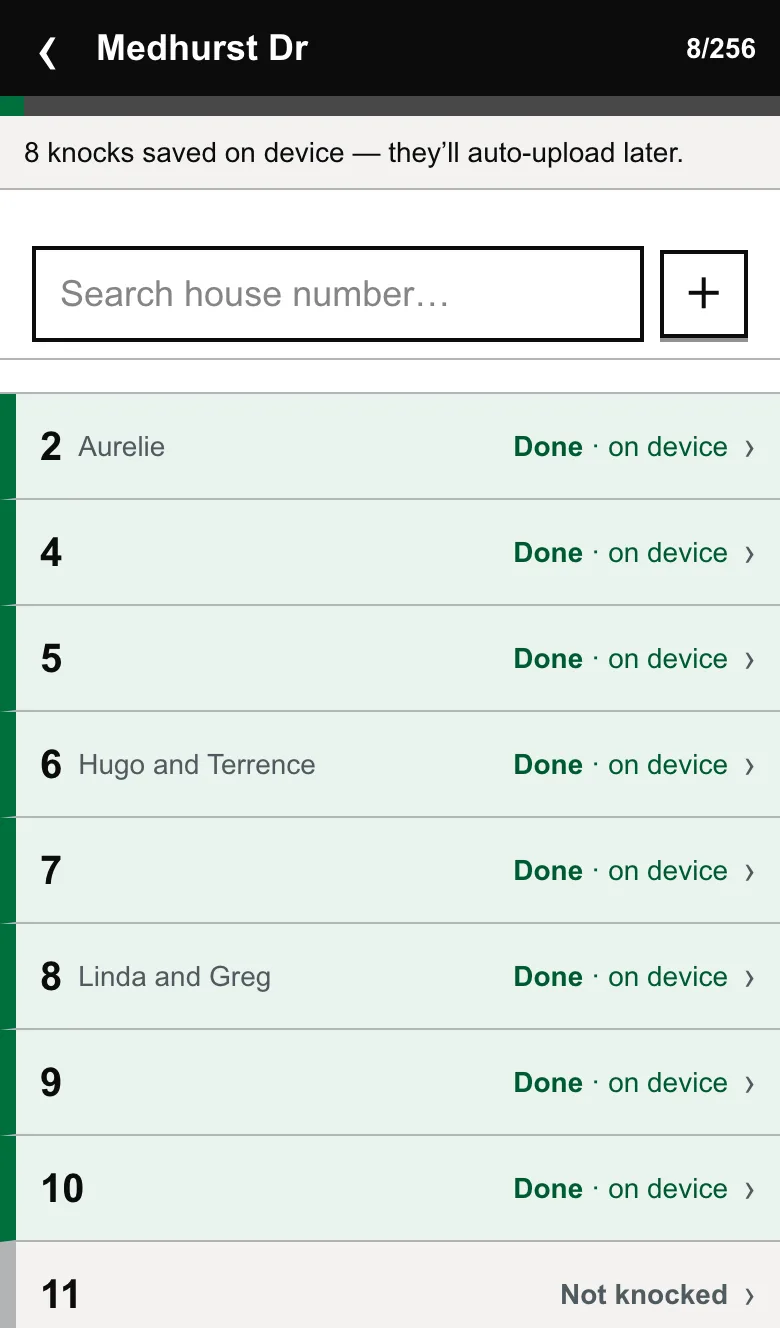
See who lives there before you knock
Import your voters’ list and the door greets your volunteer by name, with the number of voters in the home already filled in. Where your city lists an apartment tower as one address, we offer to split it into its real units.
First names only. Surnames, phone numbers and the list itself never reach a volunteer’s phone.
Or browse the street
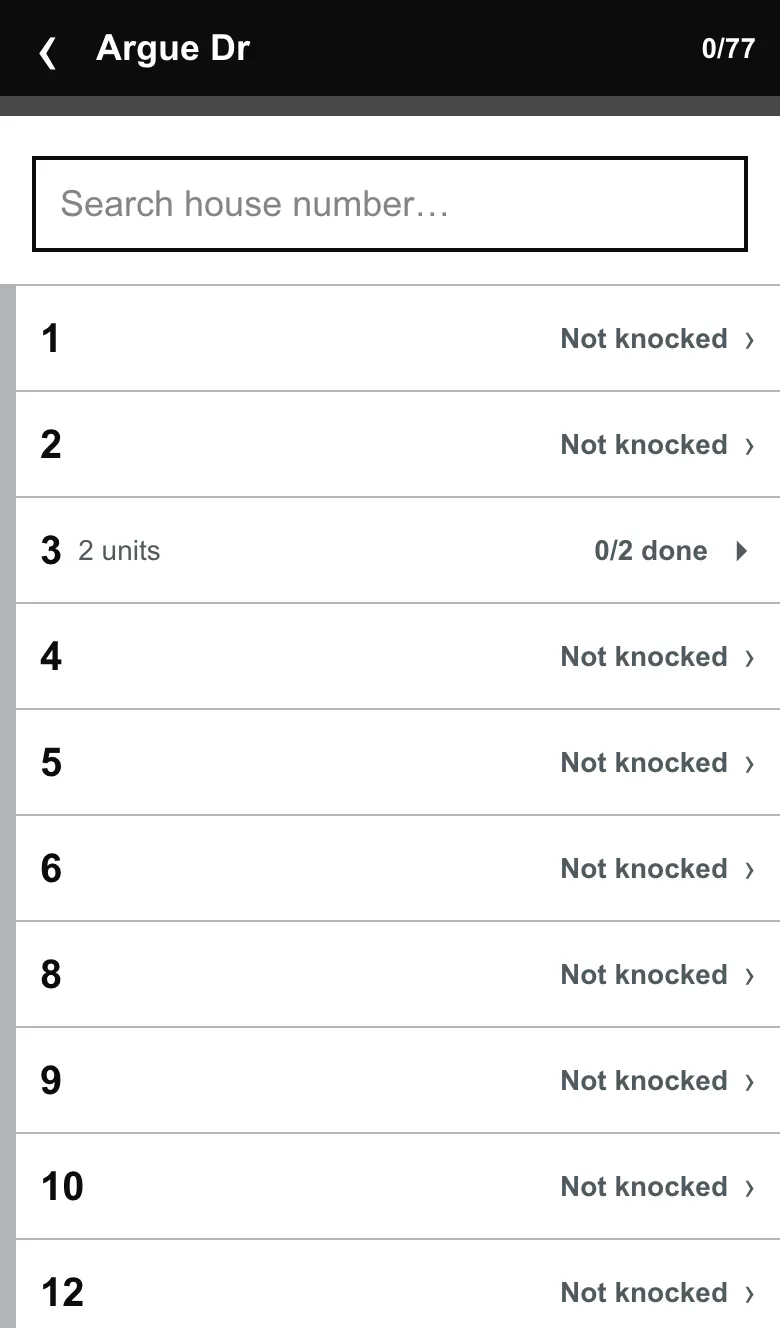
The list view, for how you actually move
Prefer to pick doors yourself, or working an apartment building? The list shows every door and unit with its status. Search a house number and jump straight to it.
Seen enough? Your campaign's copy of all this can be live in under 10 minutes.
Start nowKnock nights — sessions your team can actually attend
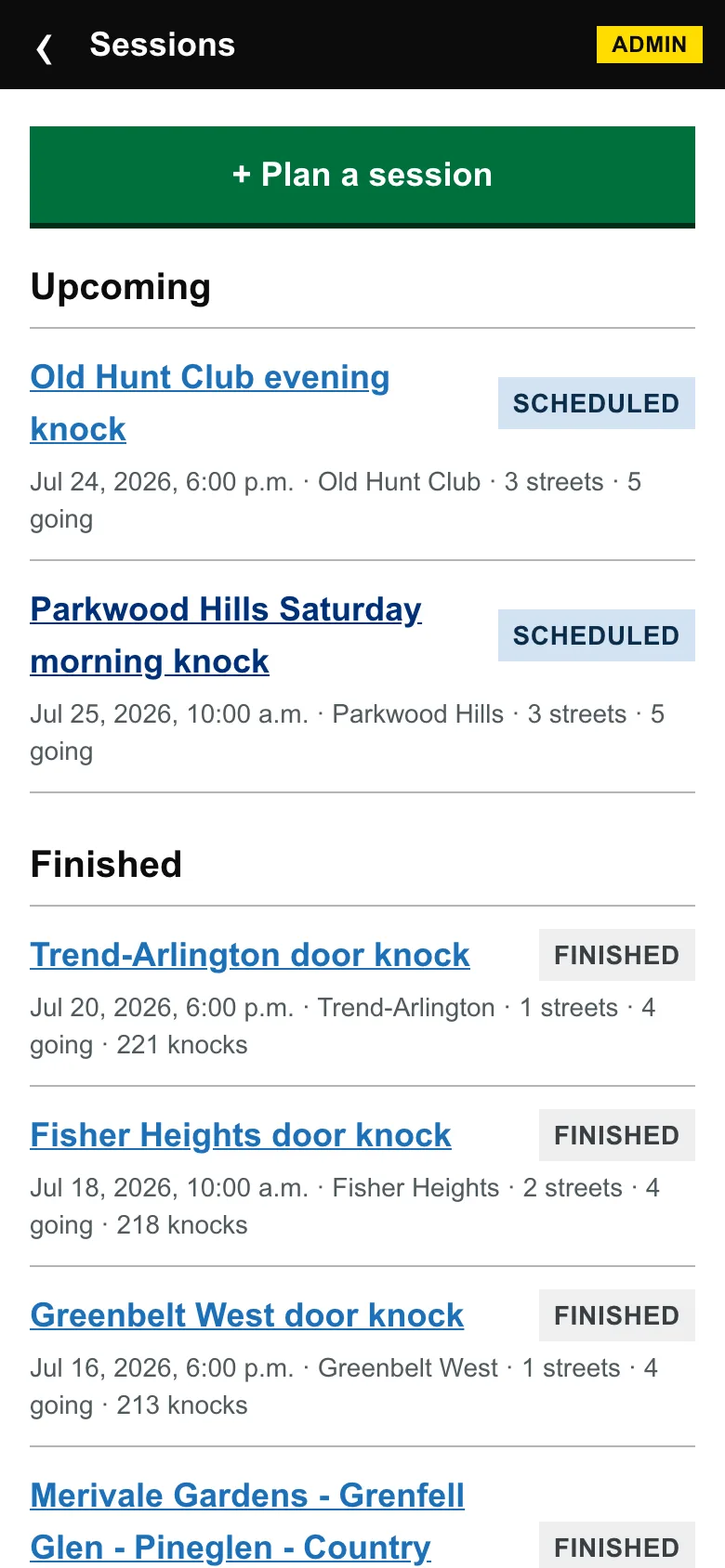
A session is a date, a meeting spot, and a set of streets. KnockList handles the inviting, the reminding, and the scoring.
For volunteers
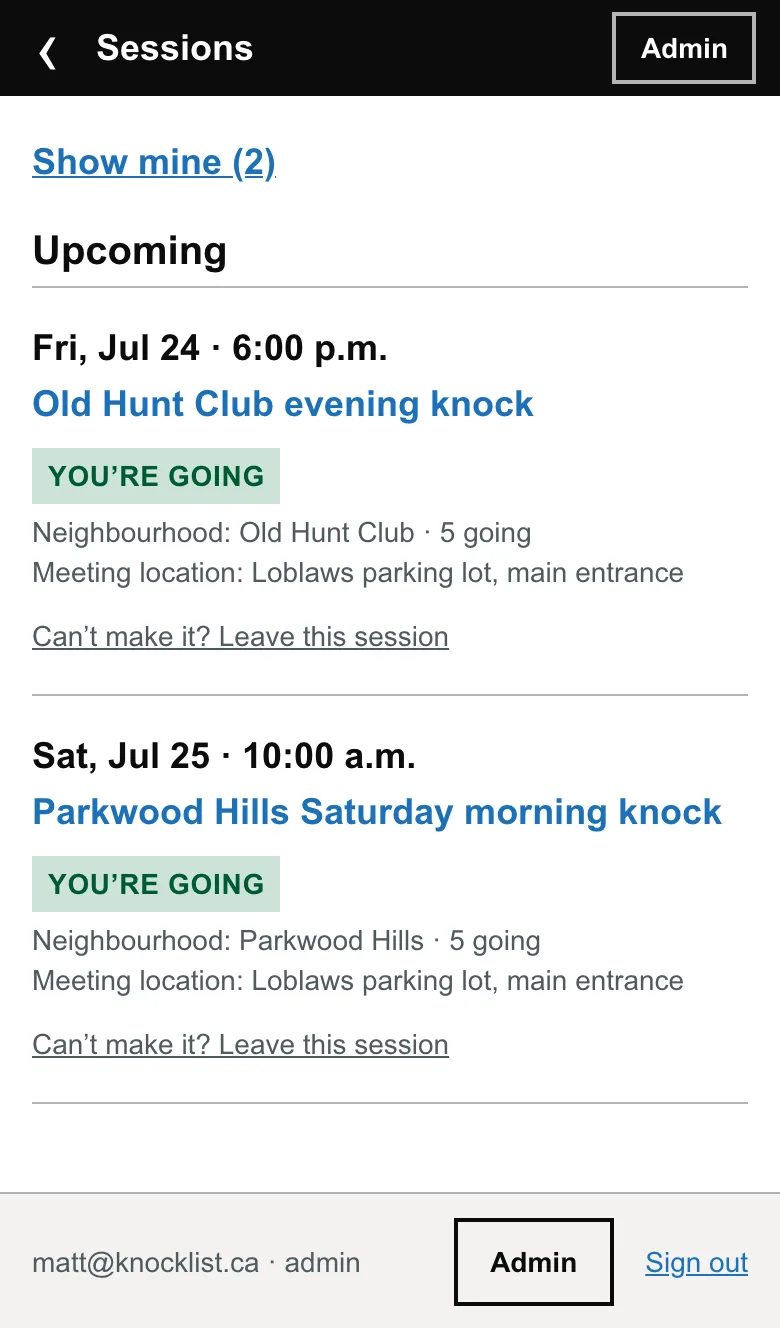
Where to be, and one tap to commit
Volunteers see every upcoming session — when, where to meet, how many are going — and join or leave themselves. Email confirmations go out automatically, and go out again if you move the time or the meeting spot.
For the campaign
Plan a night in two minutes
Pick a neighbourhood, add streets, set the meet spot, add people. Done. The workspace keeps the season's history: every finished night with its knock count, so you always know what a good evening looks like.
Someone helping for one night only? Add them as a guest. They knock doors like anyone else, their access ends at midnight on its own, and everything they recorded keeps their name for good.
When the night ends
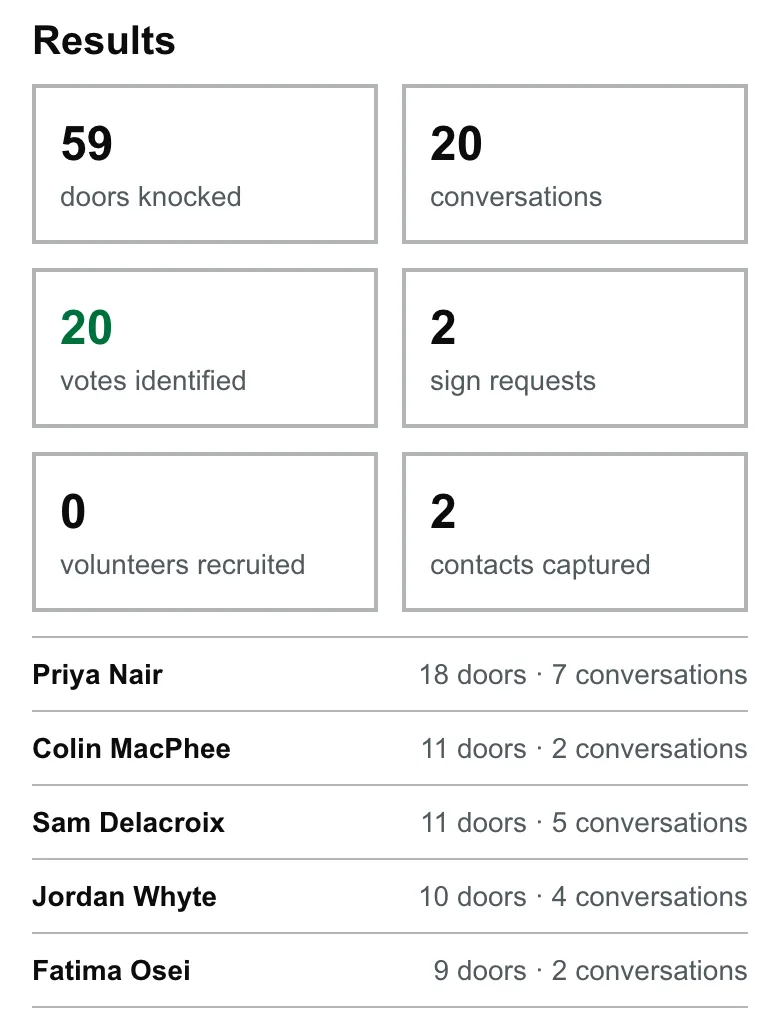
Results the moment the last door closes
Doors, conversations, votes identified, sign requests — and each volunteer's numbers. Read them out in the parking lot. It's the difference between “thanks for coming” and “we just found twenty votes” — and it's why volunteers come back next Saturday.
Campaign HQ — the questions you actually ask at 11 p.m.
Are we on pace? Is support moving? What do people want? The dashboard answers from real knocks, not gut feel.
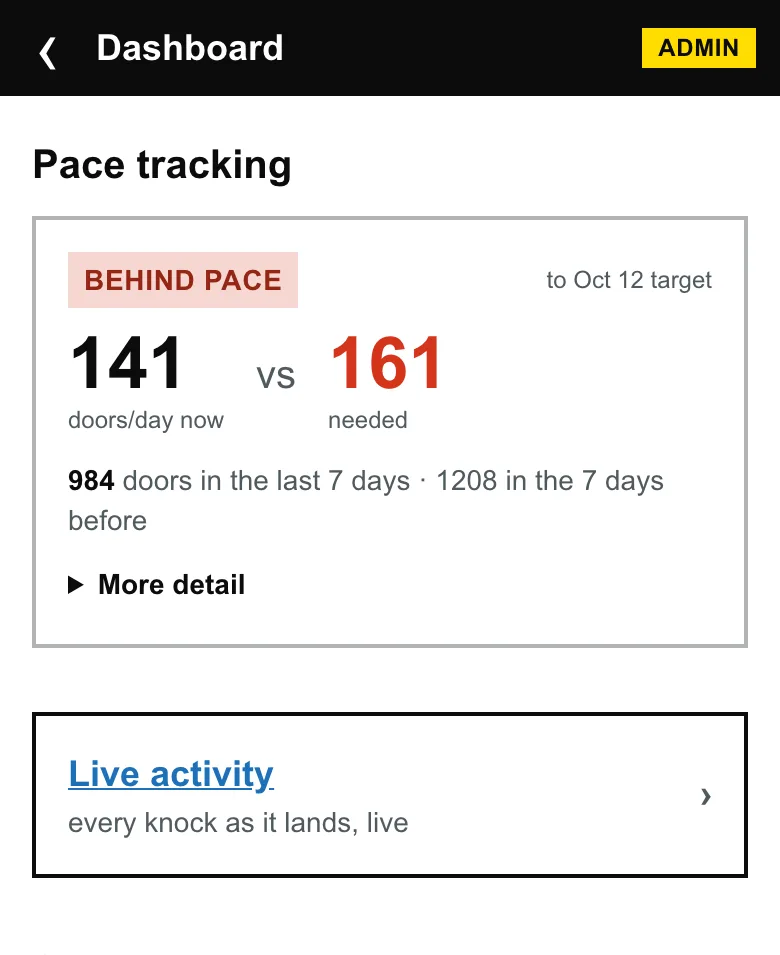
Are we on pace?
Doors per day, against the calendar
The dashboard does the math every night: doors a day right now, doors a day the calendar demands. You find out you're behind on a Tuesday in September — not in the final week.
Is support moving?
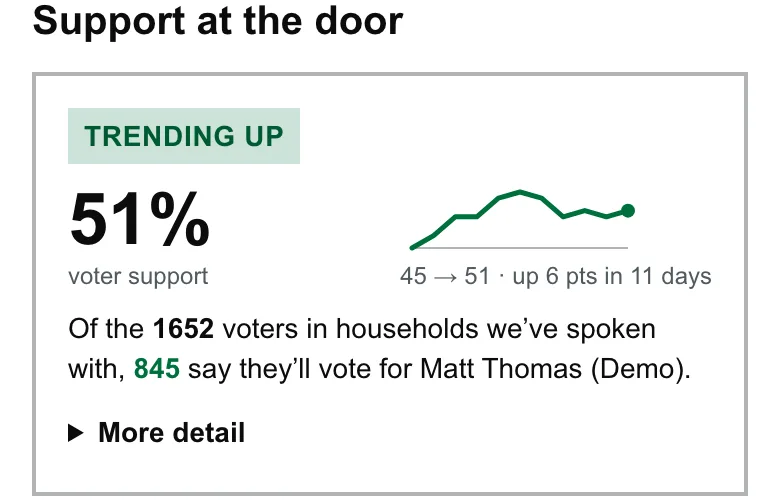
Support at the door, trending
Every conversation records where the voter stands, and the dashboard turns them into a trend line. Momentum you can see is momentum you can read out to the team.
What do people want?
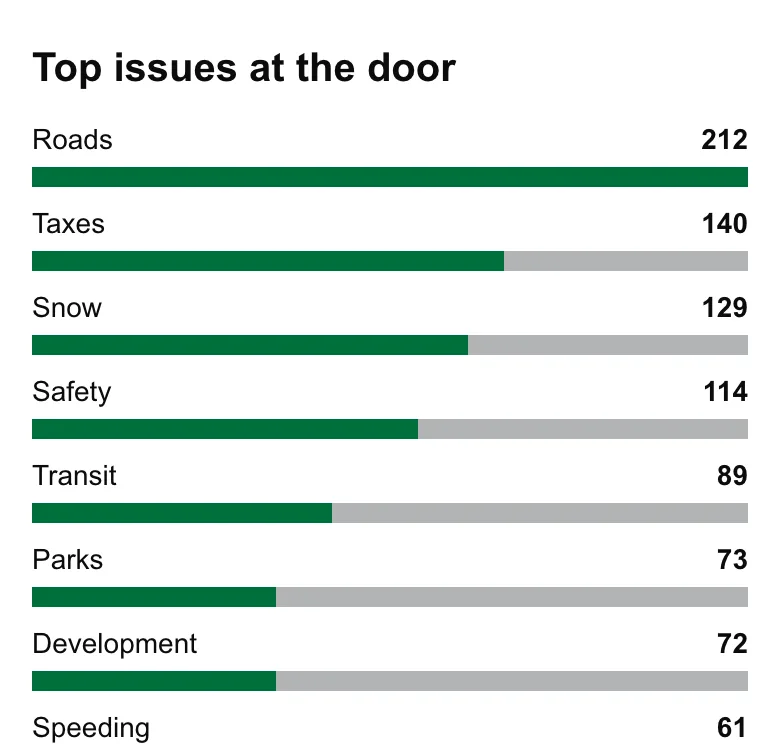
Top issues — counted, not guessed
Every issue raised at a doorstep becomes a tally. When someone asks what your ward cares about, you answer with what it actually said.
Where haven't we been?
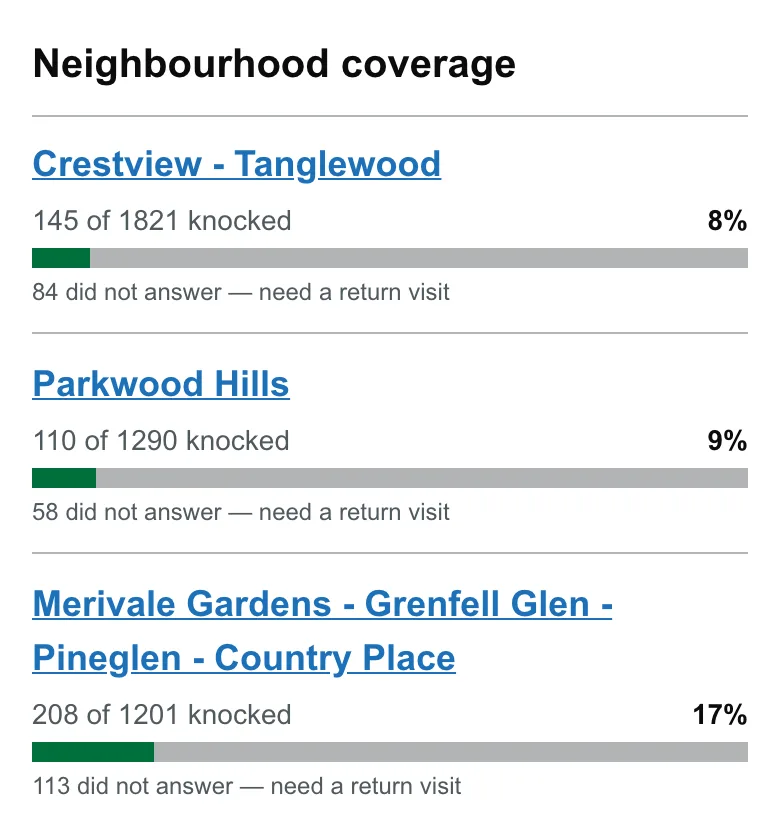
Coverage by neighbourhood
Progress bars per neighbourhood, plus who didn't answer and needs a return visit. The next knock night practically plans itself.
On knock nights
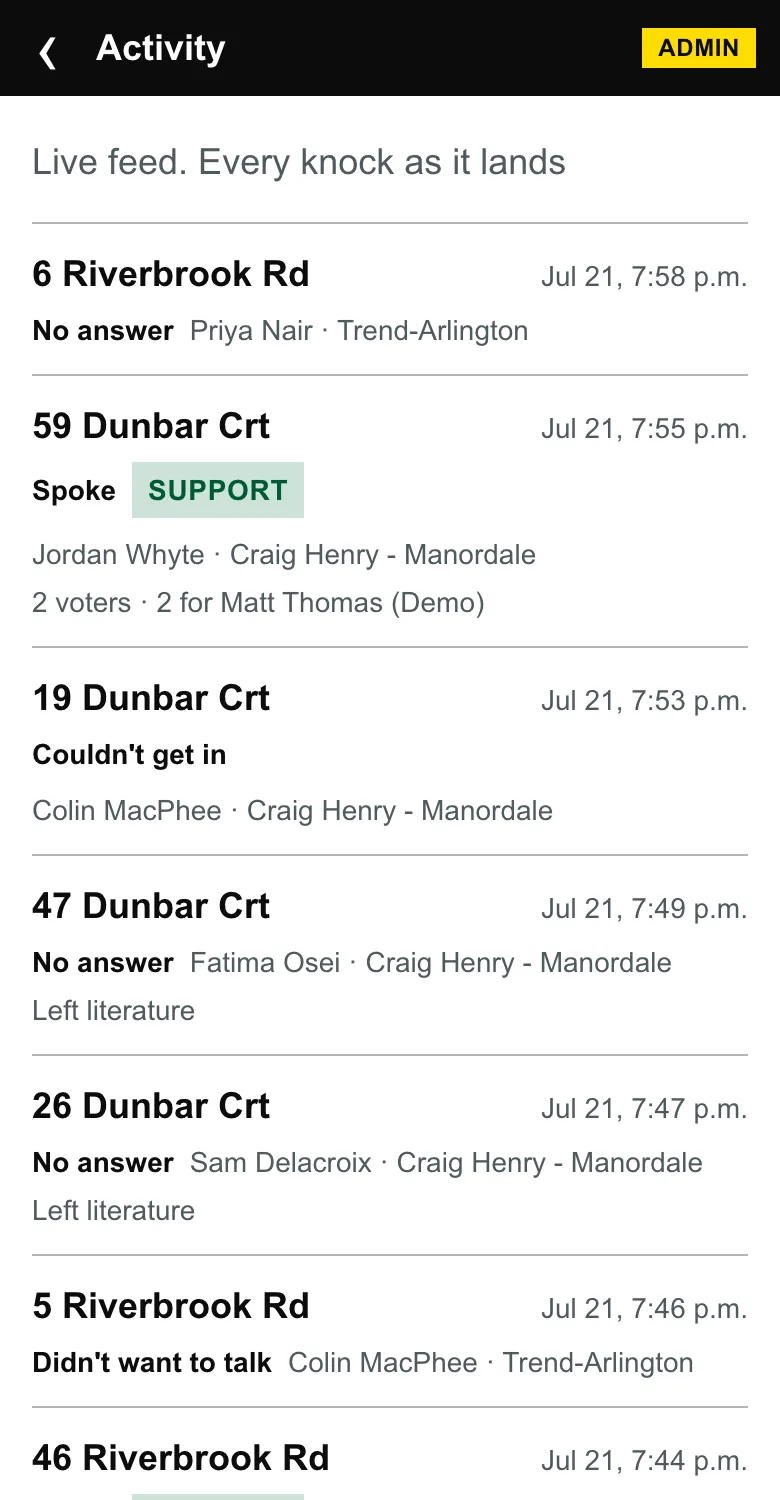
Watch the work land, live
Every knock appears the moment it's saved — door, outcome, volunteer, neighbourhood. One campaign's plan for knock nights, in their words: “open a bottle of wine and watch the work happen.”
It's also your data-quality audit trail: every entry is attributed and timestamped, so volunteer-hour records and “does this look right?” checks are built in.
Before you even ask
The answers arrive at 10pm
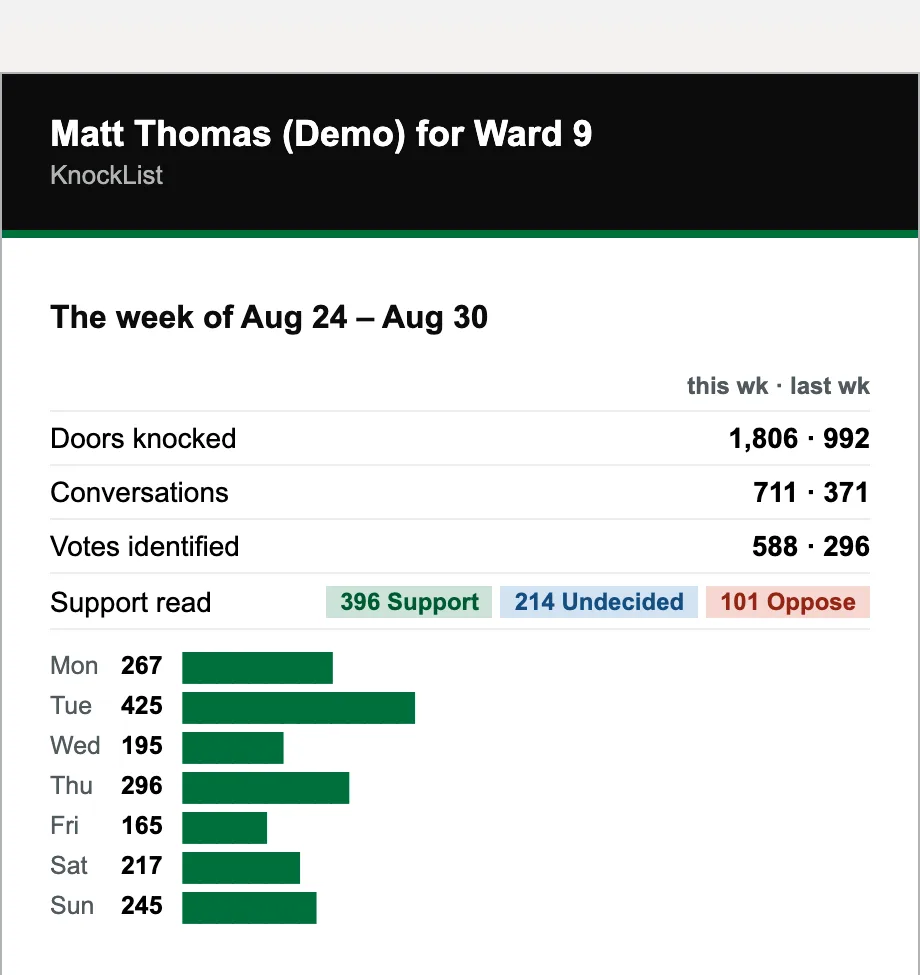
Every night at 10, an email with the day’s doors: the numbers, and every note your volunteers wrote, word for word, grouped by street. Every request a resident made is in it too, with the door and the contact details they gave, so you can make the call without opening the app.
Mondays at 7am, the week: this week against last, which issues are rising, who was out, the promises still waiting, and your pace against target. Quiet days get a two-line version instead. Admins only, and nothing to set up.
From the doorstep to the garage
Every sign, all the way back
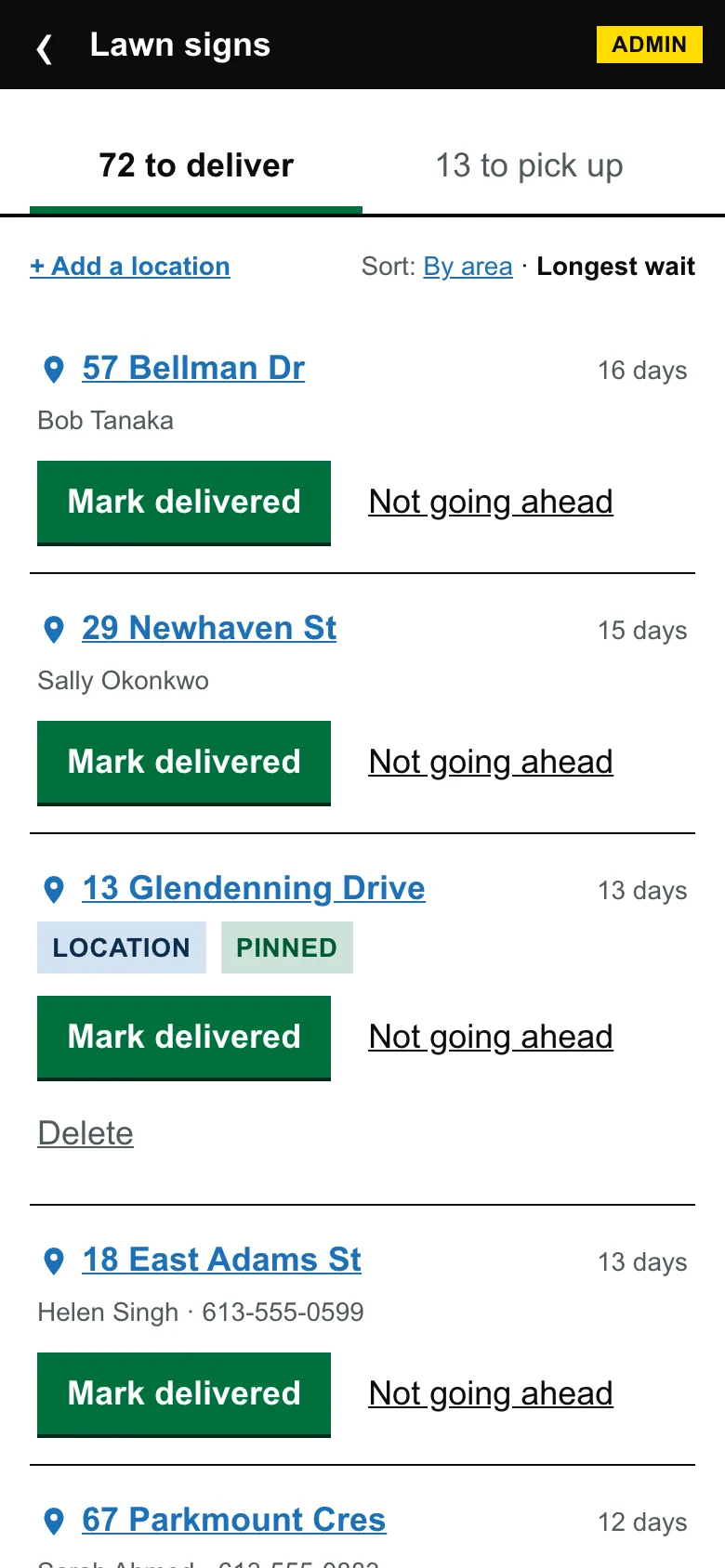
Every door that asked for a lawn sign is already on a list, with nothing to set up. One list is who’s still waiting, the other is every sign currently out. One tap marks a sign delivered, and one tap on the address opens Google Maps with driving directions to it.
Most campaigns lose track of where the signs went. Yours won’t: after election day the pick-up list is the answer, and “are we done?” is simply that list being empty. Signs that aren’t doors, like an intersection or a park, sit on the same lists.
And when it's time to win
GOTV, from your own data
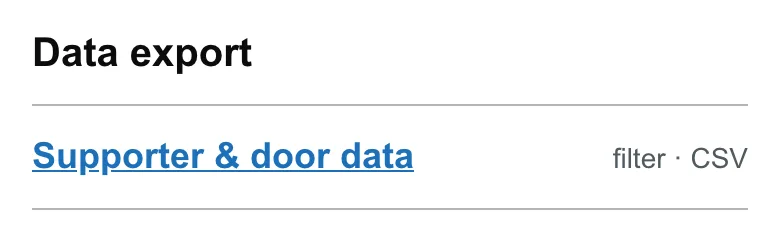
Election weekend runs on lists: supporters to pull, signs to collect, rides to arrange, donation interest for the finance volunteer. Filter your door data and export the CSV.
Your data, in and out
The official voters' list from your clerk, and the supporter list your team has built. Both come in, both stay yours, and the paperwork is handled.
The clerk's file
Upload it exactly as it arrived
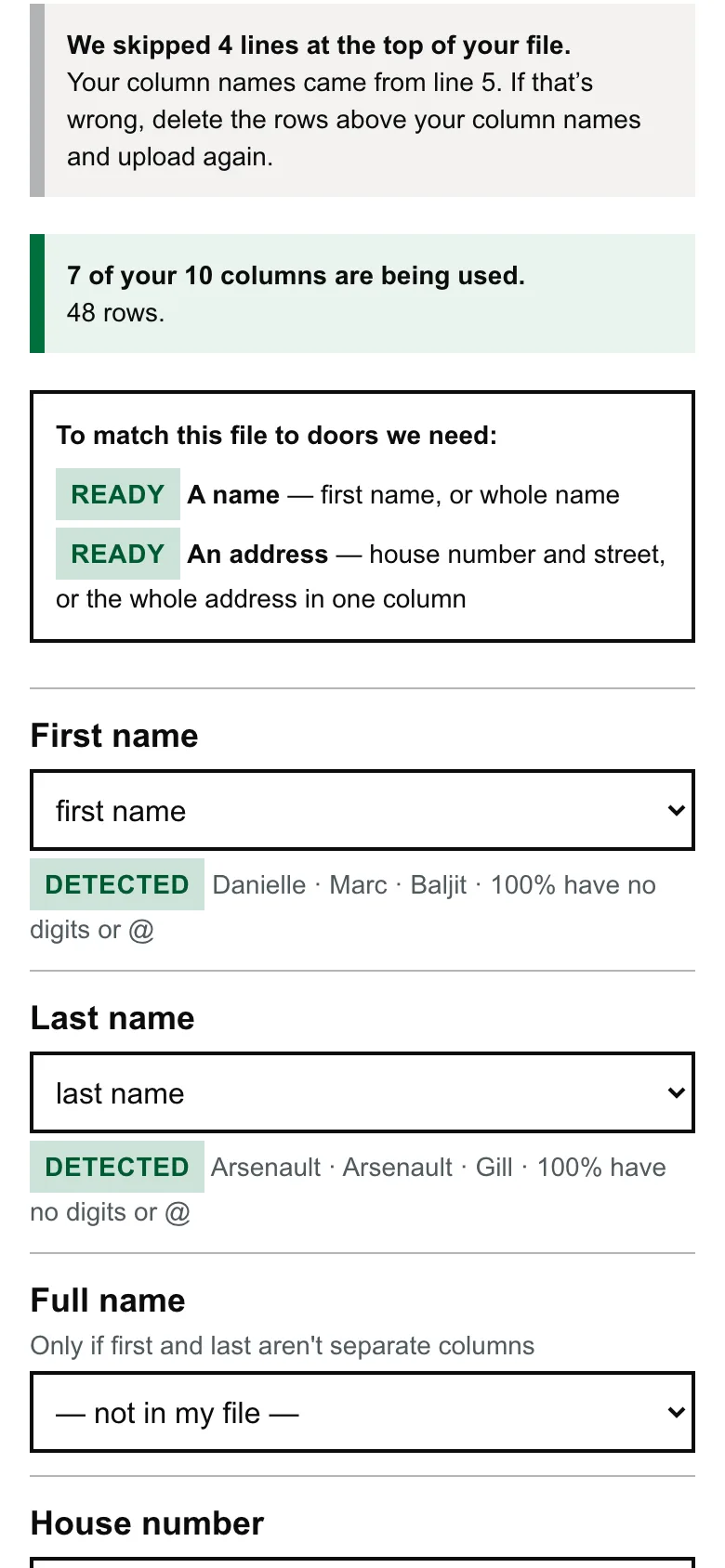
Don’t tidy it first. Clerk files vary a lot from city to city, so we read yours as it came: banner rows above the headings, columns named however your city names them, a workbook with several tabs. You see what we made of every column, and can correct anything before we start.
Then we match each elector to a door in your ward and show you the result. Nothing is saved until you confirm it.
The paperwork
What the Act asks of you, handled
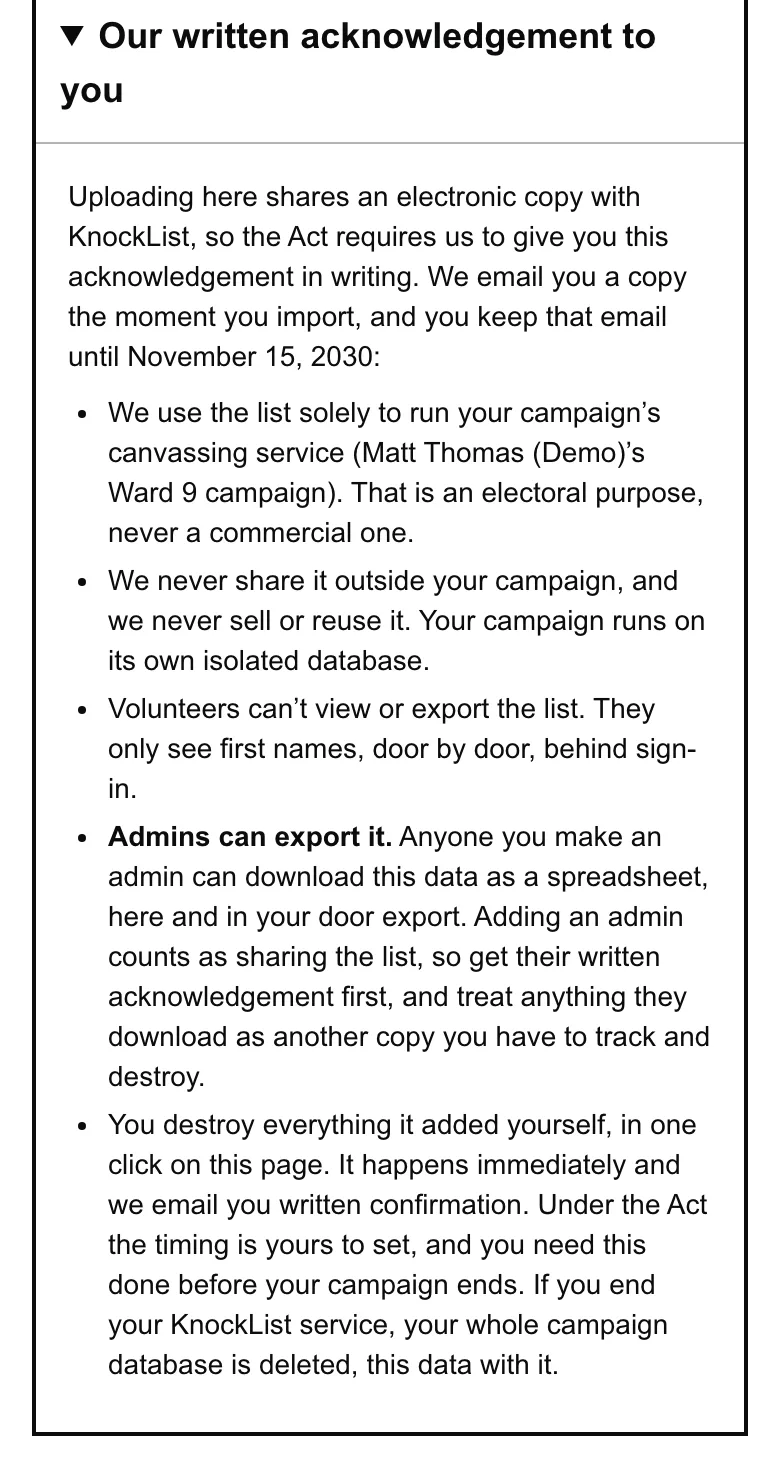
The Municipal Elections Act sets rules for every copy of the voters’ list. Before you share it with anyone, that person owes you a written acknowledgement, you have to track who holds a copy, and every copy has to be destroyed by the end of your campaign.
Uploading here shares a copy with us, so we give you ours by email the moment you import. The page names exactly who on your team will be able to see it, before you upload rather than after, and there’s a blank form to use with anyone else you share it with. One tap destroys everything the list added, and we email you written confirmation of that too.
Who sees what
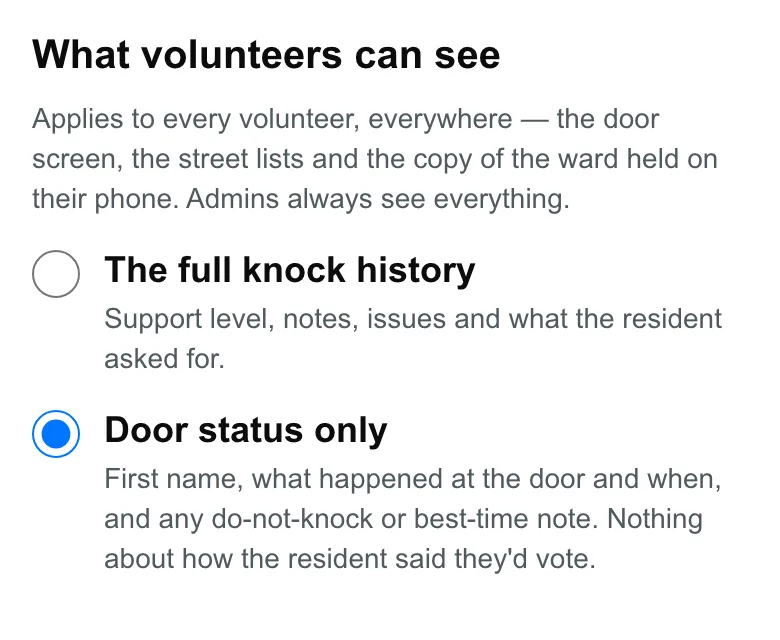
Volunteers see a first name, and what you allow
No volunteer can view or export the list. At the door they see a first name, and nothing else from it.
Beyond that it’s your call. Leave the setting alone and volunteers see the full knock history. Switch it to door status only and they see what happened at each door and when, while how a resident said they’d vote, their notes and what they asked for stay with you and your fellow admins. It applies everywhere, including the copy of the ward saved on their phone. Admins always see everything.
On the way out
It leaves as easily as it arrived
Every campaign runs on its own database, stored in Canada, and no campaign can see another’s data. Export everything as a spreadsheet whenever you like, filtered however you need it, or have it emailed to you.
Ask us to delete it and we delete it completely within 7 days.
That's the whole tour.
$50 a month, cancel anytime, one campaign per ward — and every door in your ward loaded on day one.